

A game-streaming host you control.
SolarFlare runs on your Linux PC and streams games or the desktop to Moonlight clients. Its Web UI handles pairing, applications, settings, and troubleshooting.
Self-hosted streaming on your LAN. No cloud in the path.
- Client protocol
- Moonlight / GameStream
- Control plane
- https://localhost:47990
- Host focus
- Linux x86-64, AMD and Intel
- Release
- View latest release
What it does
Your own game-streaming host: no subscription, no cloud
SolarFlare turns a Linux machine into a private streaming host. Install it on the PC that has your GPU, pair a Moonlight client (phone, tablet, laptop, TV, or handheld), and play your full library remotely over your own network. The video never leaves your LAN and no third-party server sits in the path.
It is a fork of LizardByte's Sunshine, focused on Linux with tuning for modern AMD and Intel CPUs. SolarFlare adds controls for network pacing, capture scheduling, NVENC profiles, and audio processing. The Web UI keeps those settings beside pairing, applications, and logs.
cloud services in the stream path
fork-specific tunables (11 host + 24 audio)
Linux distro families auto-detected
- Primary use
- High-quality game & desktop streaming across a trusted local network
- Host focus
- Linux x86-64, with tuning for modern AMD and Intel CPUs
- Client protocol
- Moonlight / NVIDIA GameStream-compatible transport
- Control plane
- Responsive HTTPS interface at localhost:47990
- Upstream
- A fork of LizardByte / Sunshine
- License
- GPL-3.0-only
Fork additions
Each subsystem has its own controls
Defaults stay compatible with upstream. Disable any tuning path when you want a cleaner comparison on a given host.
Host control
A responsive Web UI with command search, host status, troubleshooting tools, live host-resource telemetry charts, and PWA install support.
Network path
Link-aware pacing, optional busy polling, expanded 4 MiB ENet buffers, DSCP QoS tagging, and adaptive bitrate controls.
Scheduling
Capture-thread affinity, controlled real-time scheduling, native CPU microarch tuning, and optional boot-time performance services.
Video
NVENC tuning profiles, per-application encoder overrides, tunable headless display paths, and hardware-aware capture selection.
Audio
Low-latency PipeWire hints plus optional AGC, voice activity detection, ducking, noise gating, and full Opus encoder control.
Operations
Scoped API tokens, trusted-subnet pairing, per-client streaming profiles, stream lifecycle webhooks, session history, idle auto-stop, and structured tagged logs.
Performance architecture
From display capture to the client
Fork work sits in four places. Capture follows frame arrival, per-session pacing bounds batches and drops stale frames, and the encoder can apply live NVENC bitrate changes when the hardware supports it.
Capture
X11, KMS, PipeWire/portal, headless compositor, and optional Hermes-KMS paths are selected for the build and host environment.
Encode
NVENC presets and per-application overrides tune latency, lookahead, adaptive quantization, and frame structure. The protocol stays the same.
Transport
Link-speed detection, pacing, socket buffers, busy polling, QoS marking, and adaptive bitrate respond to local-network conditions.
Control
The HTTPS UI, API scopes, pairing rules, and diagnostics expose host state. No cloud services sit in the streaming path.
latency_mode
safe
Bounded, quality-preserving defaults.
aggressive
Tighter audio and scaler tradeoffs; two-pass NVENC is off.
Web interface
Manage the host from one page
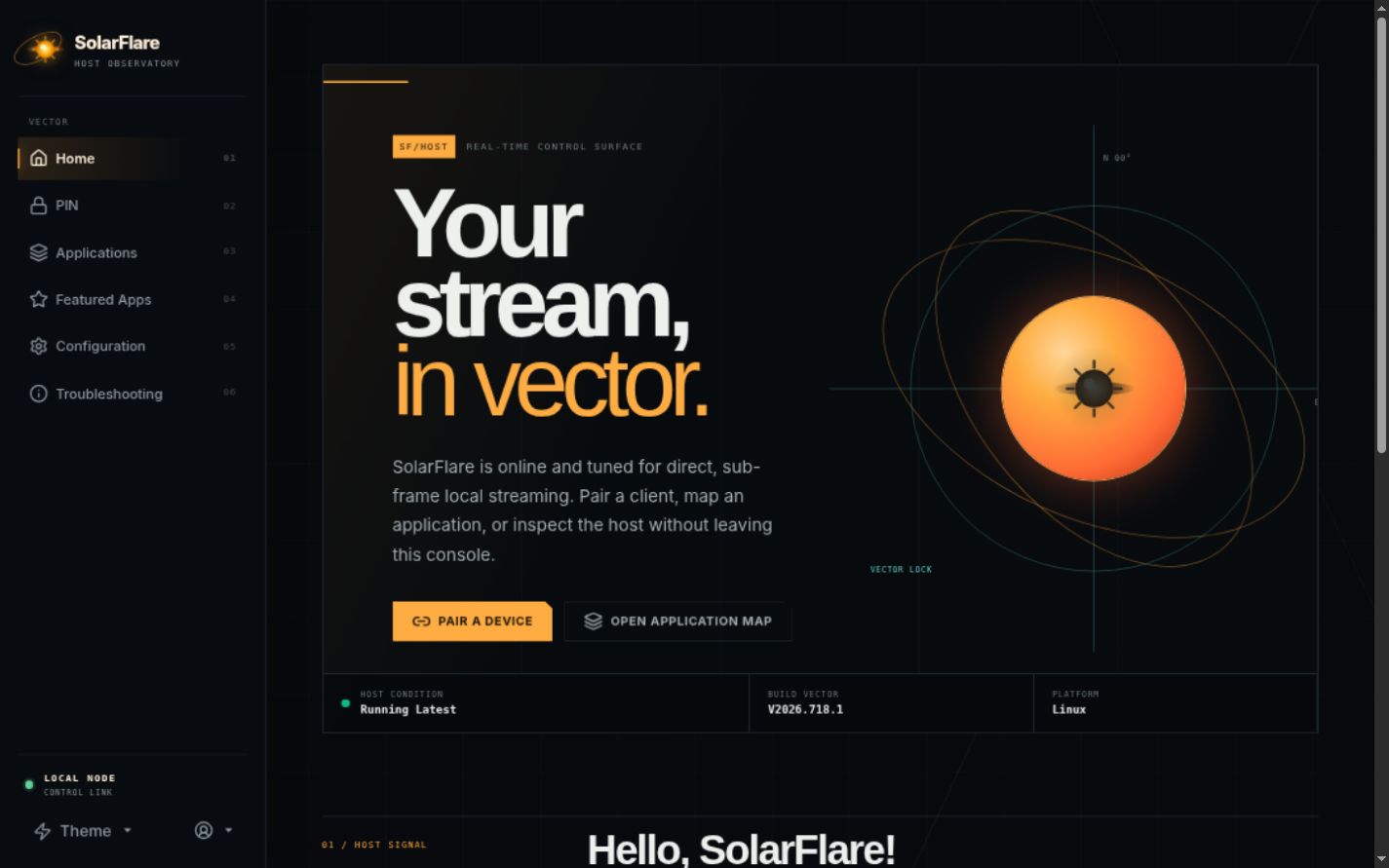
The Web UI runs on the host at https://localhost:47990. It supports keyboard navigation and adapts to desktop and mobile screens. Switch tabs to see each page.
Monitor the host. The home page shows host status, version, and platform, with direct links for pairing a device or managing applications.
Configuration
Change host settings without rebuilding
Eleven SolarFlare host settings live in the same ~/.config/sunshine/sunshine.conf file. Set a key back to its upstream value to undo that subsystem. There are also 24 audio and Opus controls in the Web UI.
- SO_BUSY_POLL on the ENet UDP socket, in microseconds.
busy_poll_us50 - Percent of negotiated link speed used as the pacer.
rate_cap_pct80 - Grow ENet UDP send/recv buffers to 4 MiB.
enet_4mib_buffertrue - PW_KEY_NODE_LATENCY hint to the PipeWire compositor.
pipewire_latency_ms8 - Pin the capture thread to a non-IRQ, non-SMT core.
cpu_pinningtrue - Tag ENet packets with DSCP CS3 for router QoS.
dscp_qostrue - Force the GPU performance profile during a stream.
gpu_governortrue - Create a virtual xrandr output when no display exists.
headless_virtual_displayfalse - Skip KMS/Wayland correlation; leave false unless your compositor omits output metadata.
skip_wayland_correlationfalse - safe or aggressive latency-first media behavior.
latency_modesafe - Automatically stop stream after N minutes without client input. 0 disables.
idle_timeout_min0
1min_log_level = 12busy_poll_us = 503rate_cap_pct = 904enet_4mib_buffer = true5pipewire_latency_ms = 66cpu_pinning = true7dscp_qos = true8latency_mode = aggressive1{2 "name": "Competitive profile",3 "cmd": "steam steam://rungameid/730",4 "encoder-preset": 05}6 7// -1 host default, 0 latency, 1 balanced, 2 qualityAudio FX
Pre-encoder DSP on the host
SolarFlare runs a lightweight audio pre-processor between the PipeWire capture callback and the Opus encoder. Every stage is opt-in and off by default, so a vanilla install matches upstream until you turn a stage on in the Web UI.
sf_audio_agcAutomatic gain control
Measures the RMS level of each frame and rides a smooth gain correction toward a target loudness (-20 dBFS by default), clamped between configurable min and max gain with attack, hold, and release timing.
sf_audio_vadVoice activity detection
Classifies each frame as speech or non-speech using a threshold plus a hysteresis band and minimum speech/silence durations. VAD alone does not change the audio; it produces the voice-active signal that ducking and gating consume.
sf_audio_duckingSpeech ducking
When you talk, game audio is attenuated (-12 dB by default) so speech stays intelligible during loud gameplay, ramping in and out smoothly to avoid audible pumping.
sf_audio_noise_gateNoise gate
Zeroes any frame below the threshold to kill constant background hiss, fan noise, or open-mic floor noise, and leaves louder content alone.
sf_opus_*Opus encoder tuning
Full control over the audio codec: LOWDELAY / VOIP / AUDIO application mode, CBR or VBR, complexity, in-band FEC with an expected-loss hint, and fullband bandwidth extension.
All 24 sf_audio_* / sf_opus_* keys are exposed in the Web UI's Audio / Video tab and validated by a source-to-docs consistency test.
Install
Build from source for new installs
New users should always run ./scripts/linux-install.sh. The installer detects Arch/CachyOS, Debian/Ubuntu, Fedora-family, openSUSE, Bazzite, and NixOS. Then open https://localhost:47990, accept the host-local certificate, and pair a Moonlight client.
Release binaries are only for updating an already working SolarFlare install. Prefer Update now in the Web UI (tarball) when available. The bare sunshine-x86_64 download is the executable only and does not install the Web UI, desktop files, shaders, udev rules, or the systemd user unit.
1git clone --recursive https://github.com/vindeckyy/Solar-Flare.git2cd Solar-Flare3./scripts/linux-install.sh4systemctl --user enable --now app-dev.lizardbyte.app.Sunshine.service1systemctl --user stop app-dev.lizardbyte.app.Sunshine.service2sudo curl --fail --location --output /usr/local/bin/sunshine https://github.com/vindeckyy/Solar-Flare/releases/latest/download/sunshine-x86_643sudo chmod 0755 /usr/local/bin/sunshine4sudo setcap 'cap_sys_admin,cap_sys_nice+p' /usr/local/bin/sunshine5systemctl --user start app-dev.lizardbyte.app.Sunshine.serviceSolarFlare keeps the executable name, service identifier, ports, state format, and ~/.config/sunshine directory used by Sunshine, so existing Moonlight pairings keep working after the switch.