
App & Game Examples
Launch commands, working directory setups, detached commands, and per-app encoder presets.
Application Management in apps.json#
Applications and game shortcuts are stored in ~/.config/sunshine/apps.json. You can manage apps through the Web UI Application tab or edit the JSON file directly.
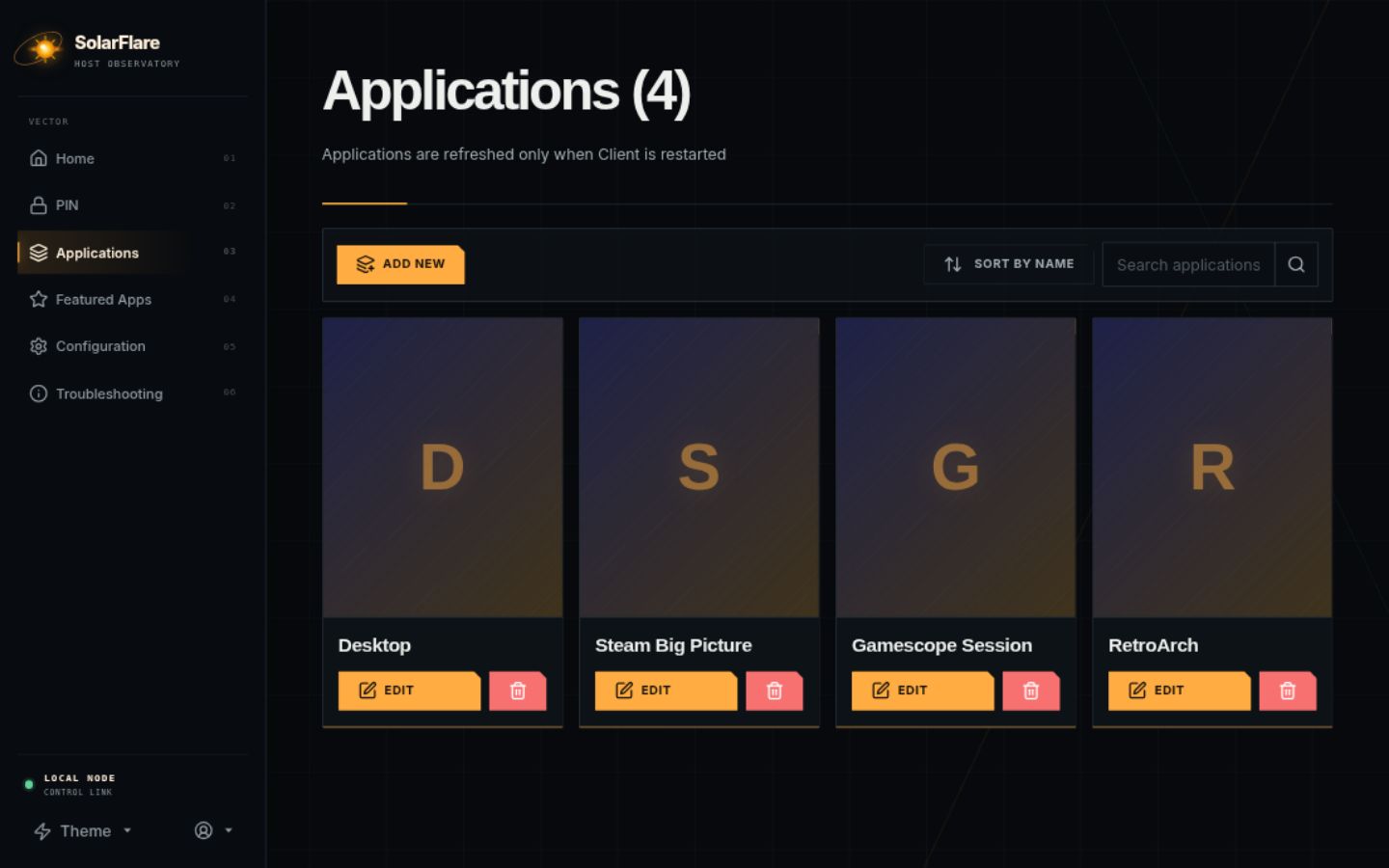
Launcher examples#
apps.json lives in ~/.config/sunshine/apps.json. Use the tabs for common launchers.
{
  "name": "Steam Big Picture",
  "cmd": "",
  "detached": ["setsid steam steam://open/bigpicture"],
  "prep-cmd": [{ "do": "", "undo": "setsid steam steam://close/bigpicture" }],
  "image-path": "steam.png"
}
Per-Application Encoder Tuning Preset#
SolarFlare allows setting an NVENC encoder preset on a per-game basis via encoder-preset:
-1: Inherit host default configuration (nvenc_tuning_preset)0: Latency (fastest encoding, zero B-frames)1: Balanced (balanced performance/quality)2: Quality (2-pass high visual fidelity)
{
  "name": "Competitive Fast FPS",
  "cmd": "gamelauncher",
  "encoder-preset": 0,
  "image-path": "shooter.png"
}
Sandboxed Gamescope Session#
Run a game inside Valve Gamescope micro-compositor for sandboxed resolution control and integer scaling:
{
  "name": "Cyberpunk 2077 (Gamescope)",
  "cmd": "gamescope -W 2560 -H 1440 -r 120 -- steam steam://rungameid/1091500",
  "image-path": "cyberpunk.png"
}
apps.json field reference#
Every entry supports: name, cmd, working-dir (required by some games), output (null path appends vs discards), env (top-level map with $(VAR) expansion plus injected SUNSHINE_APP_* and SUNSHINE_CLIENT_*), auto-detach (default true, exit-0 heuristic), wait-all (default true, process-group wait), exit-timeout (default 5 s), exclude-global-prep-cmd alongside global prep_cmds, elevated on the app and on each prep-cmd, prep-cmd [{do, undo}] where empty do is skipped and undo runs on terminate, detached [cmds] that are never tracked, image-path (must be valid PNG, relative or absolute, default box.png; id is CRC32 of name+image), and encoder-preset (-1 inherit, 0 latency, 1 balanced, 2 quality; out-of-range values are silently ignored and the host default is kept, restored on terminate).
Epic, Heroic and Flatpak launches#
The built-in game scanner (Web UI Applications tab, GET /api/games/scan) finds Steam, Lutris, and Heroic titles: Lutris entries store a directly-pasteable lutris lutris:<slug> path. Heroic scan results need manual cmd translation. Flatpak games launch through flatpak run (note the Flatpak Steam data path ~/.var/app/... when setting working-dir). Manage the catalog through the Web UI Applications tab, by editing ~/.config/sunshine/apps.json directly, or via GET/POST /api/apps.
{
  "name": "Flatpak Steam game",
  "cmd": "flatpak run com.valvesoftware.Steam steam://rungameid/1091500",
  "working-dir": "/home/user/.var/app/com.valvesoftware.Steam",
  "image-path": "cyberpunk.png"
}
Prep commands and elevated launches#
Use prep-cmd do/undo pairs for resolution or refresh-rate switches around a game. Mark elevated true on the app or individual prep steps when anti-cheat or drivers demand it. Prefer detached for fire-and-forget launchers such as Steam Big Picture via setsid so the tracked process tree stays clean.
{
  "name": "High-refresh session",
  "cmd": "steam steam://rungameid/730",
  "prep-cmd": [{ "do": "xrandr --output DP-1 --mode 2560x1440 --rate 120", "undo": "xrandr --output DP-1 --mode 3840x2160 --rate 60" }],
  "encoder-preset": 0
}